Access ports
interface range f0/1-12
 switchport mode access
 switchport access vlan 10
interface range f0/13-20
 switchport mode access
 switchport access vlan 20

View a Cisco VLAN assignment sample with VLAN tables, trunk ports, access ports, STP notes, verification commands and report sections.
These mockups show the type of topology, table and packet-capture evidence that can make a networking report easier to understand.
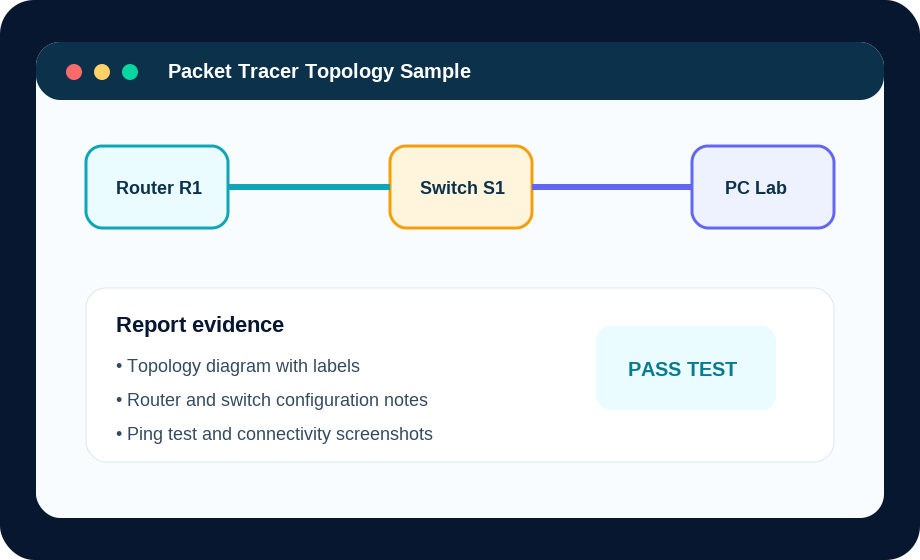
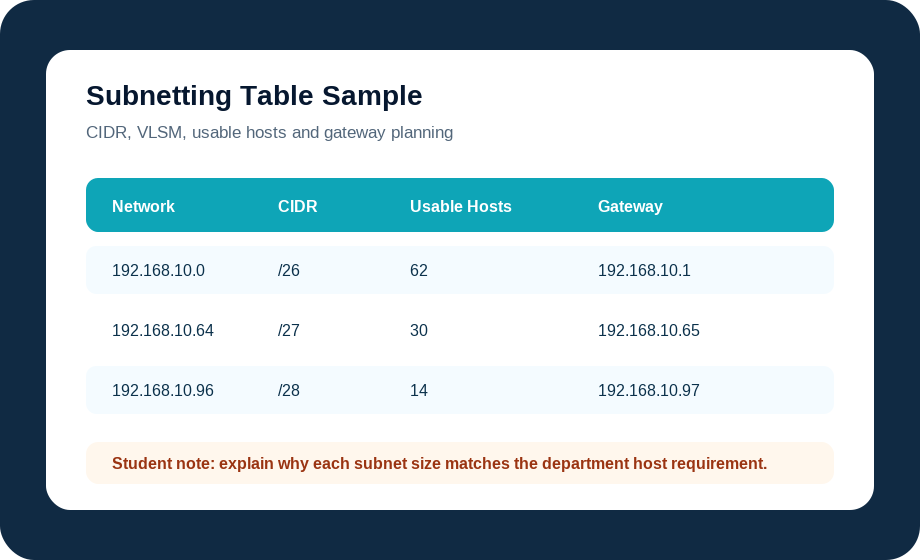
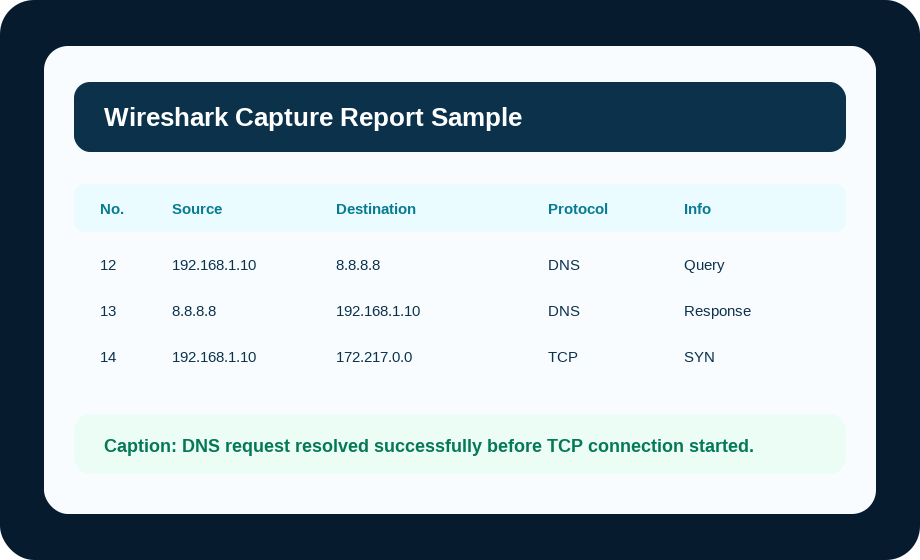
This sample shows the difference between assigning endpoint ports to VLANs and carrying multiple VLANs over an uplink.
interface range f0/1-12 switchport mode access switchport access vlan 10 interface range f0/13-20 switchport mode access switchport access vlan 20
interface g0/1
 switchport mode trunk
 switchport trunk allowed vlan 10,20
| Verification | What to inspect | Interpretation |
|---|---|---|
| show vlan brief | Endpoint ports listed under intended VLAN | Confirms access-port membership. |
| show interfaces trunk | Operational mode and allowed VLANs | Confirms the uplink carries required tagged traffic. |
| Same-VLAN ping | Hosts in VLAN 10 communicate across switches | Demonstrates Layer 2 forwarding through the trunk. |
This page is a sample-style guide for students. It does not reveal private student work, but it shows the type of structure and evidence a clean networking assignment can include.
Start with the assignment goal, tool requirement, network scenario and expected deliverables.
Explain devices, addresses, protocols, topology, policies or simulation settings used in the task.
Add screenshots, command outputs, packet captures, tables, graphs or testing notes.
Connect the results back to the rubric with short, readable student explanations.
Students usually need more than plain theory. A strong answer should include useful structure, practical evidence, and explanation that matches the assignment brief.
| Sample part | Purpose | Student benefit |
|---|---|---|
| Scenario | Explains the network problem. | Shows the marker what the task is solving. |
| Diagram or table | Organizes devices, addresses or policies. | Makes the answer easier to follow. |
| Testing evidence | Shows that the solution was checked. | Adds credibility to the report. |
| Discussion | Explains results in simple language. | Helps students understand the technical work. |
Use these links to move from this sample page to the exact assignment help topic.
